Disputes
Your customer paid invoice #5 but not invoice #3. Here's why.
A customer who is short of cash pays you late, in order — oldest bill first, because that's how credit actually works when the constraint is money. A customer who pays newer invoices while an older one sits untouched isn't short of cash at all. Something is wrong with that specific bill.
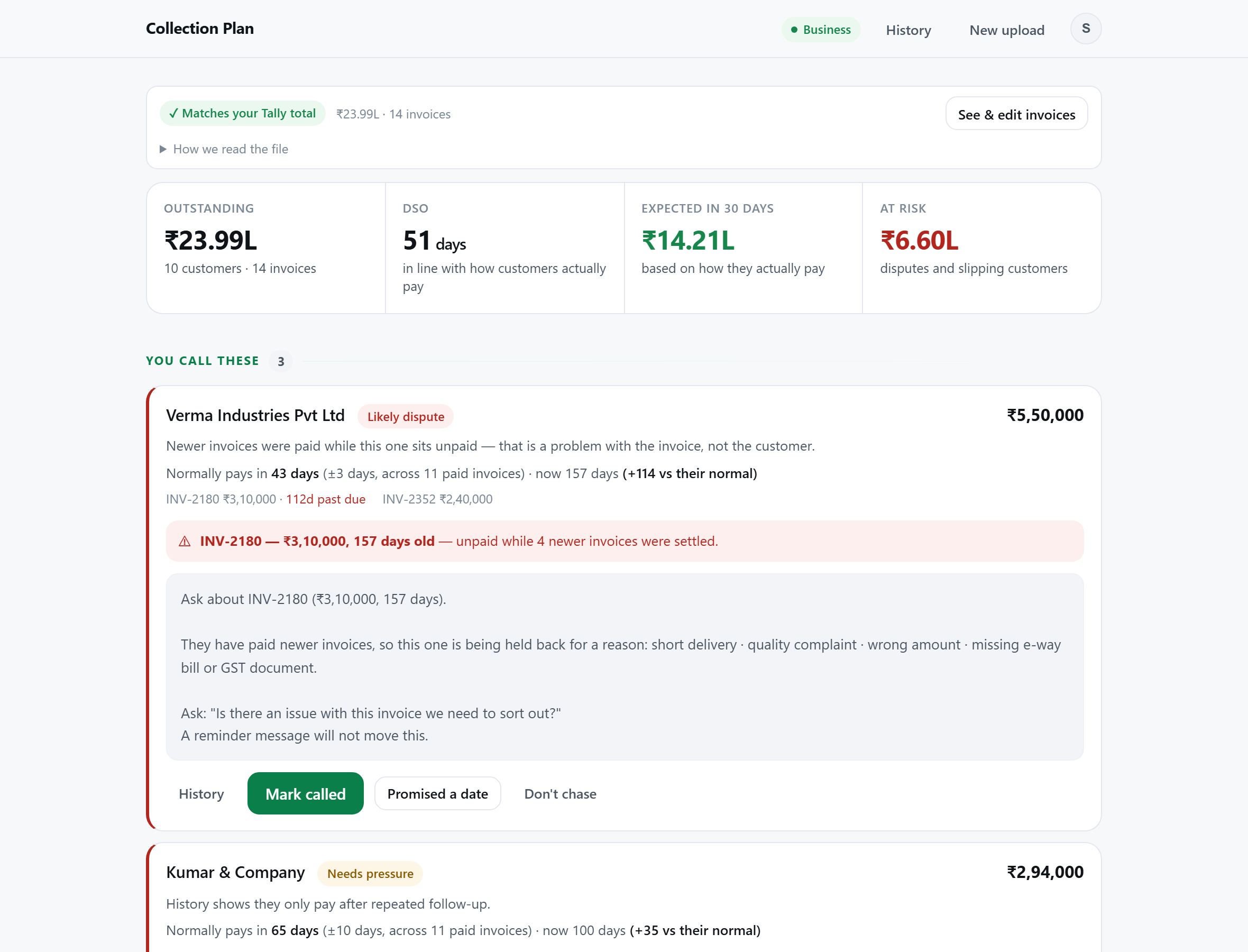
Invoice #3, raised 12 March, is still open. Invoices #4 and #5, raised 2 April and 18 April, are both settled. That order is the tell.
Reminders address forgetfulness or cash flow. This is neither — it's an unresolved complaint sitting quietly in your ageing report, usually for months.
Why this happens
When a customer skips an old bill to pay newer ones, it's almost always one of these:
| Likely cause | What it looks like |
|---|---|
| Short or damaged delivery | They received less than the invoice says, or part of the shipment was rejected, and nobody adjusted the bill. |
| Quality complaint | A complaint was raised — sometimes verbally, to a salesperson who never escalated it — and it was never resolved either way. |
| Rate or amount mismatch | The invoiced rate doesn't match the PO. Their accounts team won't pay against a mismatched document; they wait for a credit note. |
| Missing paperwork | No e-way bill, wrong GSTIN, or a GSTR-2B mismatch blocking their input tax credit — common, and rarely mentioned unprompted. |
| An old, half-forgotten adjustment | A promised discount, a returned item, or a debit note that was agreed on a call and never reflected in either set of books. |
Why a reminder won't move it
A payment reminder assumes the customer agrees they owe the money and simply hasn't paid yet. A disputed invoice fails that assumption at the first word. Sending the same "kindly clear the outstanding" message you'd send a forgetful customer reads, to them, as either tone-deaf or slightly aggressive — and it still won't get paid, because paying isn't actually the blocker. The blocker is a question nobody has answered.
This is why these invoices are so often your oldest and largest outstandings. They don't respond to the normal escalation ladder, so they just sit — sometimes written off in the owner's head long before anyone officially writes them off in the books.
How to spot it in your own ageing report
You don't need special software for this, just two exports from Tally and a bit of patience:
- Export Outstanding Receivables (detailed view) and Bills Cleared for the same customer, both for the last 12 months. Exact steps here if you haven't done this before.
- Sort both by invoice date.
- For each open invoice, check whether any invoice raised after it appears in the cleared list.
- If yes — and the customer has otherwise been paying normally — that's your candidate.
Doing this by hand for one customer takes a few minutes. Doing it across sixty customers every month is the part that doesn't scale, which is the specific problem an automated ageing tool exists to solve — Collection Plan runs this exact check against every invoice in your upload and flags it automatically, but the underlying logic is simple enough to run yourself on a handful of accounts.
What to say when you call
Don't ask for the money. Ask what's wrong.
This does two things a reminder can't: it signals you've actually looked at their account rather than sent a template, and it invites the real answer instead of another polite deflection. Most of the time the issue is small and gets resolved on that one call — a credit note, a re-sent e-way bill, a corrected rate. Occasionally it surfaces a genuine quality problem that's worth knowing about regardless of the money.
Once it's resolved
Fix the root cause in Tally — issue the credit note, correct the invoice, resend the missing document — rather than just noting "customer says it's fine" and moving on. If the same mismatch keeps recurring with the same customer, that's a process problem on your side worth fixing once, not a collections problem to keep rediscovering every quarter.
Upload your Tally outstanding report. We check every invoice against that customer's own payment order and flag the ones that look stuck in a dispute — no signup, nothing stored.
Run a free health checkNext: How to reduce DSO · Reminder message formats · GSTR-2B mismatch · E-way bill disputes · Legal options against a defaulter · Bad debts: law and tax treatment